Threat Studio Enterprise
Your threat studio.For every team.
Threat Studio lives in the Otoroshi backoffice, for the administrators of your gateway. Threat Studio Enterprise serves the same studio as a standalone application, for the teams that own the routes, the people on call when one of them is attacked and the security team that audits all of it.
Threat Studio · Workspace
public-apis
Members
- LMlucas.martin@acme.comowner
- MGmaria.garcia@acme.comeditor
- group: oncall-sreresponder
- OHomar.haddad@acme.comresponder
- ERemma.rossi@acme.comviewer
Audit trail
- omar.haddad@acme.com banned 203.0.113.42 for 7 daysjust now
- audit@acme.com read the fragments of a request3 min ago
Your company login
Users sign in with your identity provider, through the authentication modules of Otoroshi (OpenID Connect, SAML, LDAP…). Nobody needs an Otoroshi account.
Members and roles in every workspace
Add members by email or by group of your directory, each with a role. Owner, editor, responder or viewer.
Each team on its own routes
A user only sees the workspaces they belong to, and only what their role allows on the routes their workspace governs.
Secrets kept on the server
Challenge secrets, alert webhooks, CrowdSec and feed keys, geolocation credentials and honeytokens never reach the browser. Every reveal is recorded.
An audit trail
Every change, every refusal and every read of the fragments of a request is kept, with who, when and from where.
The workspaces you already have
Enterprise works on the same table and the same entities. Your existing workspaces only need an owner to be shared.
Same studio
Every page of Threat Studio.
Gated by your roles.
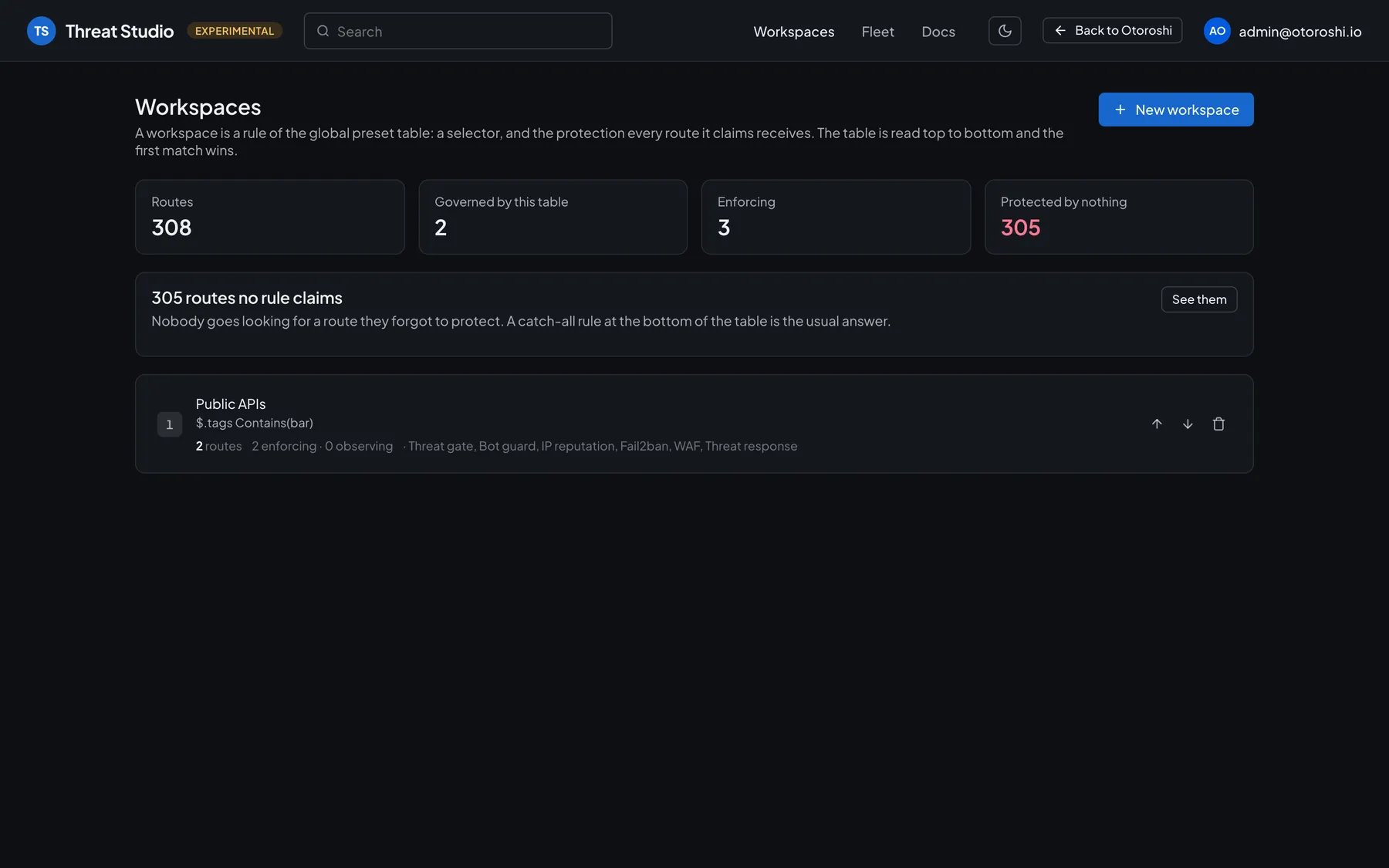
The front of Threat Studio Enterprise is the Threat Studio of the open-source Threat Protection suite. A workspace is a rule of the table of the gateway: a selector, and the protection every route it claims receives. In Enterprise, each team works on the routes of its workspaces, with every page of the studio, as far as its role allows.
- Protection of your routes
- Activity & incidents
- Bans & allowlist
- Read-only auditors
Roles
The right seat
for every team.
Give a role to a person, by email, or to a group of your identity provider. A role given to a group applies to everyone your identity provider puts in it.
Manages the workspace and its members, on top of everything an editor does.
Sets the protection of the routes the workspace governs.
Acts on the callers, with bans, allowlist and incidents, and reads the fragments of the requests.
Follows the protection and the activity.
For the whole gateway
Administrators
They own the table, which routes each workspace claims, and everything that holds for the whole gateway: shared state, feeds, reputation sources.
Auditors
They read everything an administrator reads, the audit trail included, and change nothing.
Guardrails
What a workspace may not do,
whatever its role.
Some actions reach beyond the routes of a workspace. The application keeps them in check, so that one team can never weaken the protection of another.
Bans are capped
A ban holds on every route of the gateway: a workspace bans for 7 days at most, by default.
Scanners stay with the administrators
A malware scanner has the gateway open a connection to the address it names: administrators set them up, workspaces read them.
Vetted challenge providers
A workspace keeps its challenge providers to the ones of a vendor preset, or to what the provider already had.
Editions
Every capability stays open source.
Enterprise adds the organization.
| Threat StudioOpen source, in the Otoroshi backoffice | Threat Studio EnterpriseStandalone application | |
|---|---|---|
| Workspaces, protection, activity, incidents, bans, feeds, analytics | ||
| Who uses it | The administrators of the gateway | Route owners, on-call responders, security teams |
| Login | Otoroshi backoffice | Your identity provider, no Otoroshi account |
| Members and roles in every workspace | ||
| Each team on its own routes | ||
| Read-only auditors | ||
| Secrets kept on the server, reveals recorded | ||
| Audit trail, reads of request fragments included | ||
| License | Apache 2.0 | Commercial |
How it fits together
Next to your Otoroshi.
On your infrastructure.
Your users reach Threat Studio Enterprise through an Otoroshi route that authenticates them. The application calls the studio API of the Threat Protection extension with an account of its own: it never builds an Otoroshi entity itself.
Your users

Otoroshi route
Your authentication module, the identity of the person, the proof the request went through Otoroshi
Threat Studio Enterprise
Permissions, guardrails, secrets masked, audit
PostgreSQL 14+
Members, audit, preferences
Otoroshi admin API
The studio API of the Threat Protection extension, one implementation of the operations
Docker or a single binary
A distroless image for linux/amd64 and arm64, or one executable for Linux, macOS and Windows.
Several instances
Run instances side by side: writes are serialized across them, per workspace and for the table.
Ready to operate
Health, readiness and Prometheus metrics on a port of their own.
Your protection never waits
Protection runs in Otoroshi: the backoffice studio stays the way in of your administrators.
FAQ
Frequently asked questions
Still have a question? Talk to our team.
Is Threat Studio open source?
Yes. Threat Studio is part of the Threat Protection suite for Otoroshi, under the Apache 2.0 license, and every capability of the studio remains in the open-source edition. Threat Studio Enterprise adds what it takes to share it with your whole organization.
Do I need to migrate my workspaces?
No. Enterprise works on the same table and the same entities, through the studio API of the Threat Protection extension. Your existing workspaces only need an owner to be shared.
What happens if the application is down?
Your protection keeps running, it lives in Otoroshi. The Threat Studio of the backoffice keeps working for the administrators of the gateway, and a workspace created there shows up on the administration page of Enterprise, to be given an owner.
Which identity providers can my users sign in with?
Any authentication module of Otoroshi, such as OpenID Connect, SAML or LDAP. Roles can be given to a person, by email, or to a group of your directory.
Where does Threat Studio Enterprise run?
On your infrastructure, next to your Otoroshi, behind a route of its own. It ships as a Docker image or as a single binary, and stores its data in PostgreSQL. Several instances can run side by side.
How is Threat Studio Enterprise licensed?
It is a commercial edition. Contact us for a demo and a quote adapted to your organization.
Security is a team sport.Give every team its seat.
See Threat Studio Enterprise running on your own table, with your identity provider. We will set up a demo with you.