Serverless threat protection · formerly WebShieldThreat Studio.Serverless, pay as you go.
Threat Studio puts our threat protection in front of any app or API, with nothing to install and no gateway to run. A WAF with the OWASP Core Rule Set, IP reputation and bot control, every decision in one console, and a bill that follows the traffic you protect.
POST /login?user=admin'--
from 203.0.113.42 · hosting network
- IP reputation+40
- Hosting network (ASN)+15
- WAF · OWASP CRS+45
- Bots & AI crawlers—
- CrowdSec—
- Honeypots—
100
threat score
Nothing to run
A serverless service in front of any app or API, wherever it runs. No gateway to install, operate or scale.
WAF · OWASP Core Rule Set
SQL injections, cross-site scripting and the OWASP Top 10, stopped by a JVM-native WAF running the OWASP Core Rule Set.
IP reputation
Threat-intel feeds, CrowdSec and hosting networks score every caller before it reaches your app.
Bots & AI crawlers
Verify the crawlers that claim to be somebody, decide what AI crawlers may read, challenge the rest.
One threat score
Every detector adds up into one score, and the response is graded, from log to challenge to ban.
Pay as you go
Plans follow your protected requests and security events. Start for free, every feature in every plan.
Threat Studio in action
One suite.
One console.
Activity, geography, logs, the decision fabric and the WAF: a tour of Threat Studio, the security console for Otoroshi.
Decision fabric
Every threat.
One score.
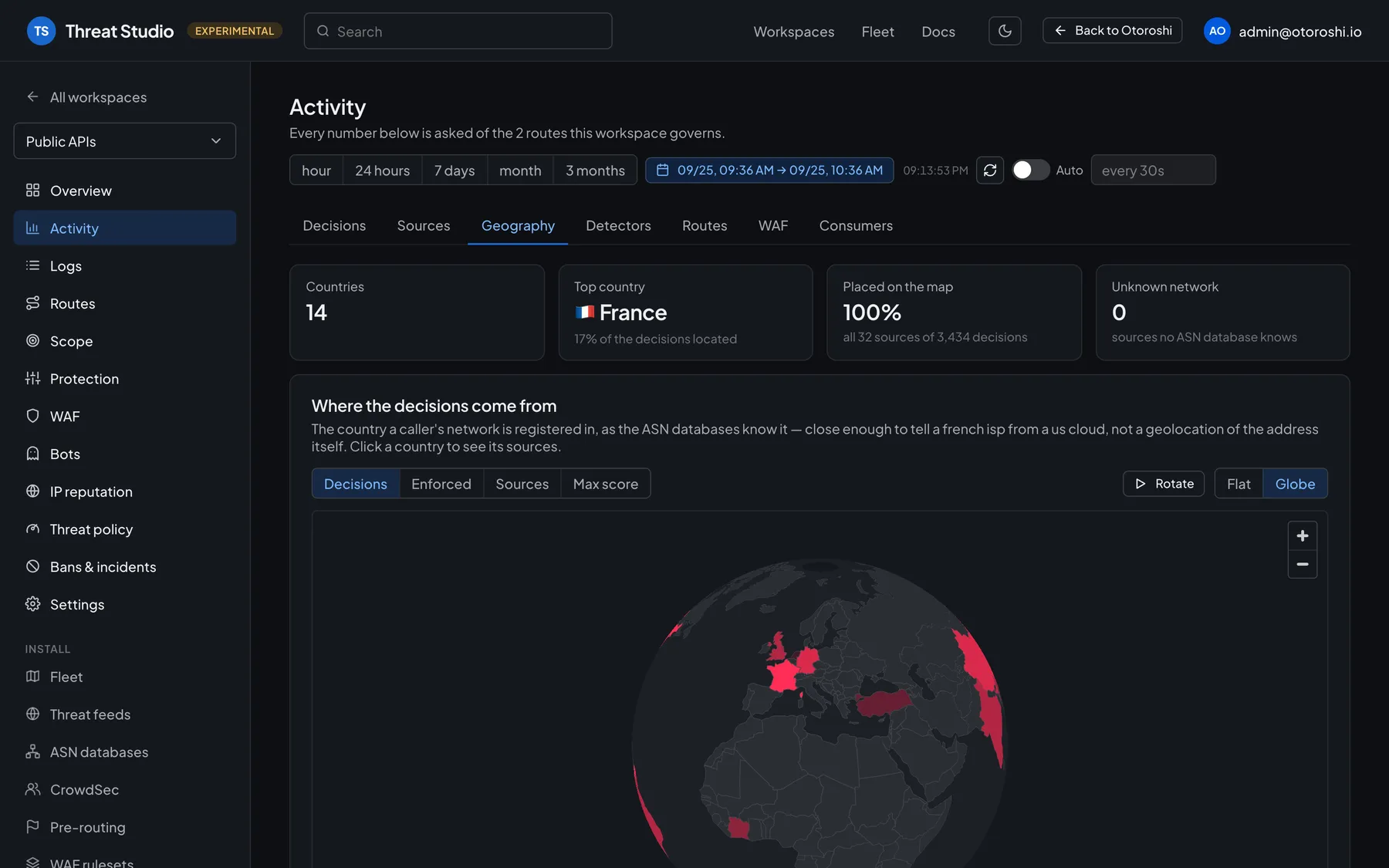
IP reputation, hosting networks, the WAF, bots and AI crawlers, honeypots: every detector adds its weight to one threat score for the request. The response is graded, from logging it to slowing it down, challenging it, denying it or banning the caller. Threat Studio shows what each protection lays down, how many decisions were enforced or only observed, and which detector decided.
- IP reputation & CrowdSec
- WAF · OWASP CRS
- Bots & AI crawlers
- Graded response, up to a ban
Threat Studio · Protection
Observe first.
Then arm, one switch at a time.
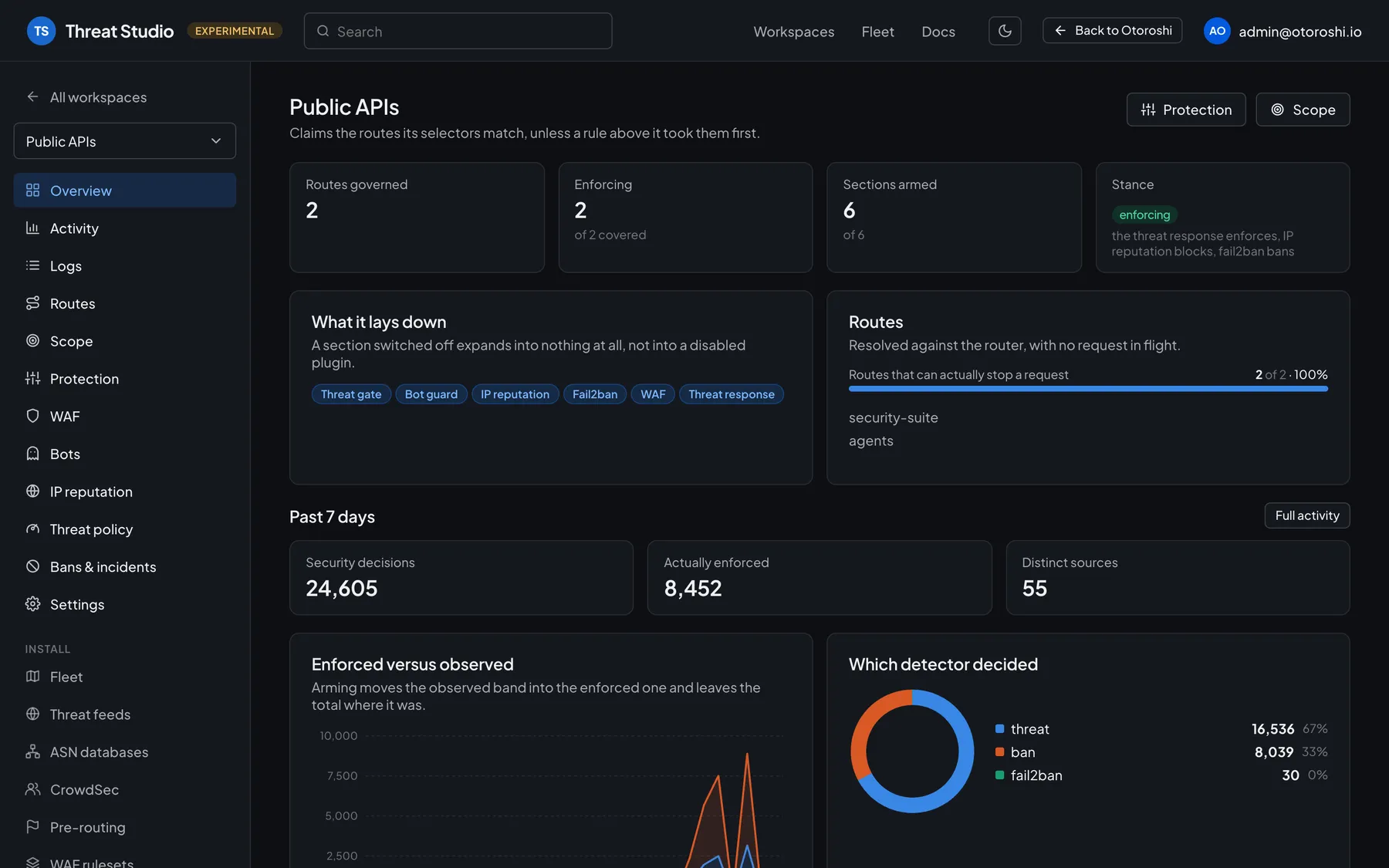
The protection of your apps is a chain of sections: threat gate, bot guard, IP reputation, fail2ban, WAF, threat response. Each one can run in monitor or dry-run mode, recording what it would have done, before you arm it. Nothing blocks legitimate traffic by surprise.
- Monitor & dry run
- Arm section by section
- Fail2ban
- Graded threat response
Threat Studio · WAF tuning
Fewer false positives.
Without lowering your guard.
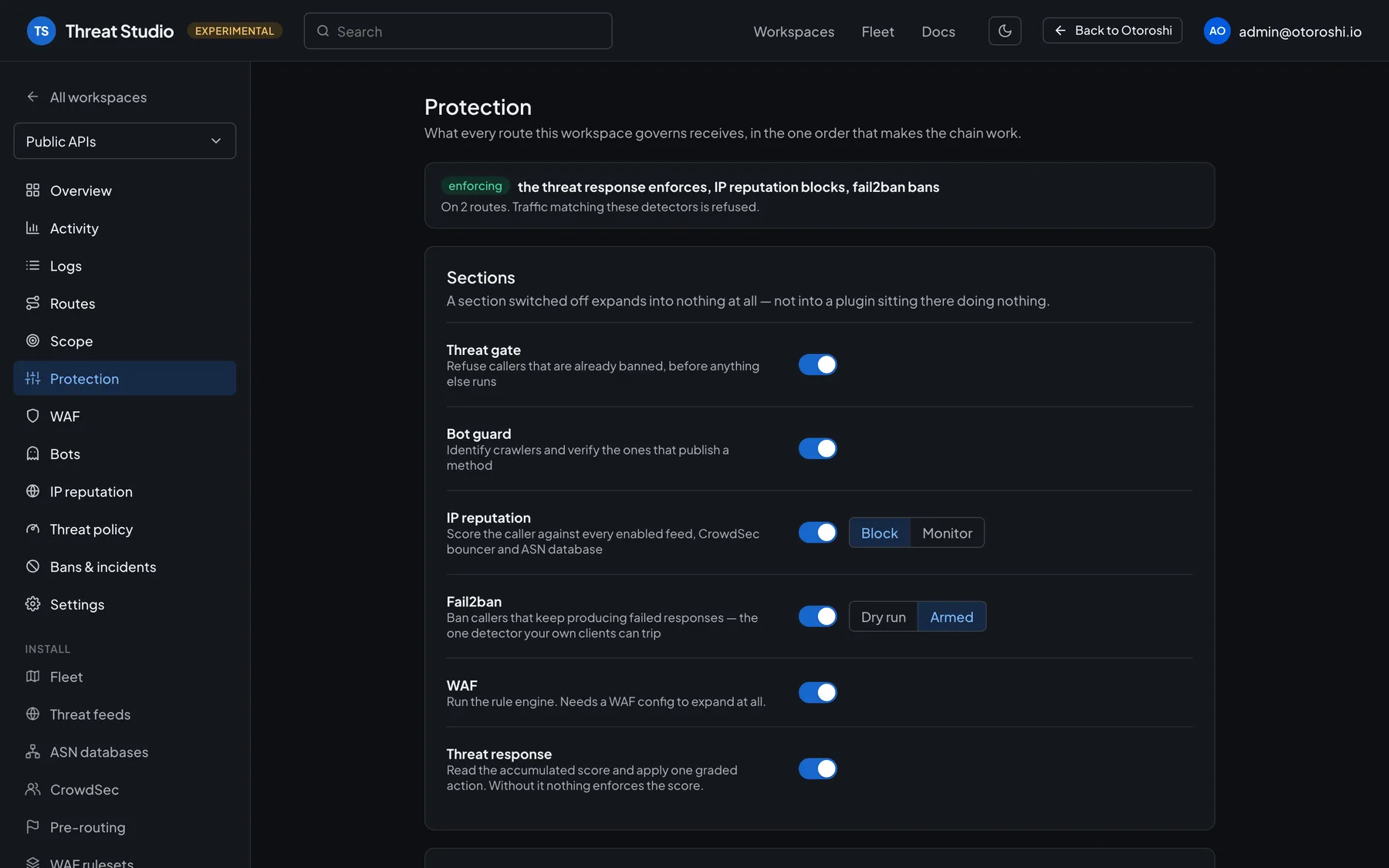
When a rule fires on legitimate traffic, the tuning assistant shows where, and proposes the narrowest change that stops it: skip one argument on one path rather than switching a rule off everywhere. Each proposal says what it stops and what it no longer catches.
- The narrowest exclusion
- What it stops, what it misses
- Learning mode
- Rules and rule groups
Threat Studio · Activity
See where attacks come from.
And what stopped them.
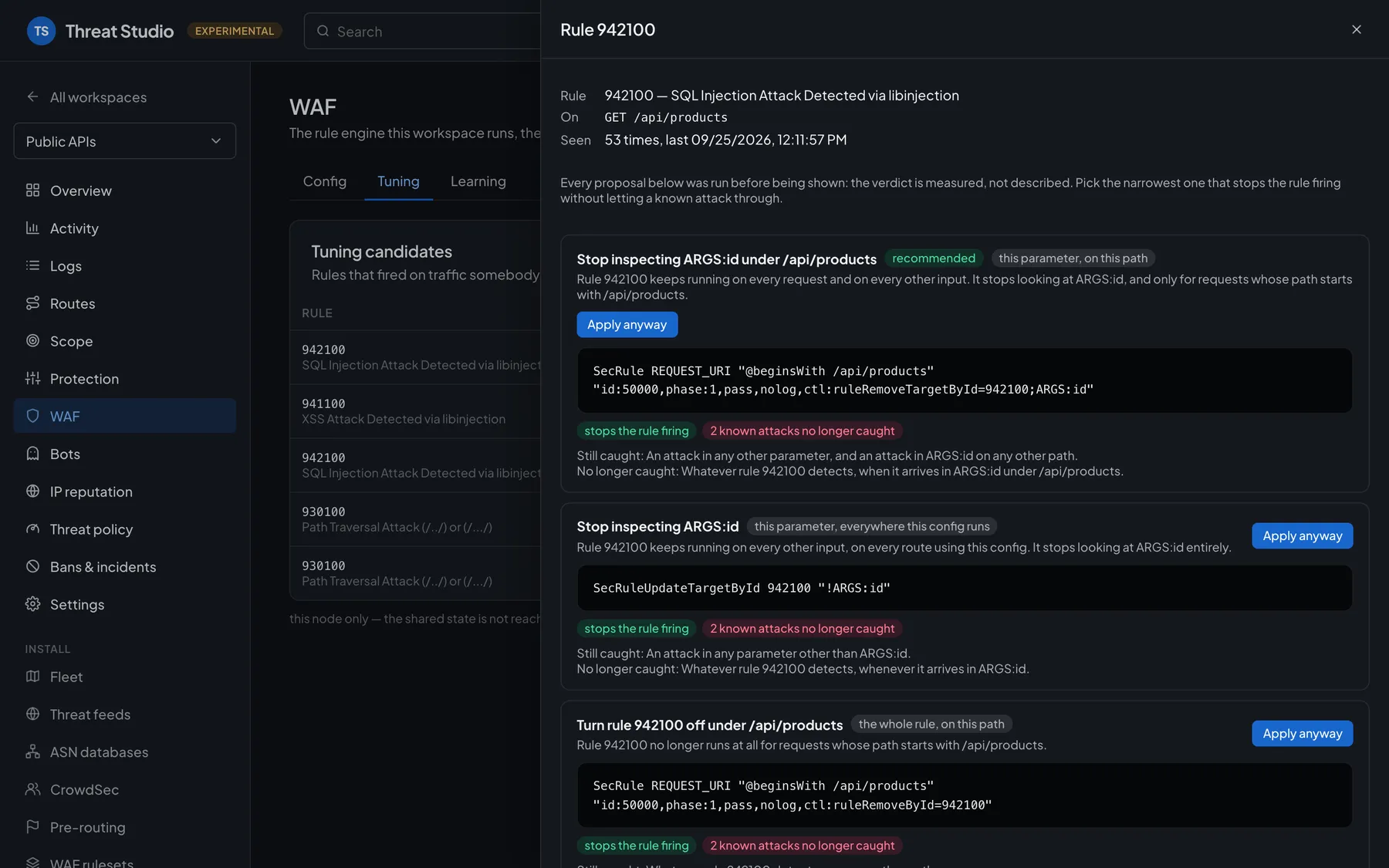
Every decision is recorded: by action, by detector, by route, by source and by country, enforced or only observed. Follow your traffic over time, open a decision to see the signals behind it, and the incidents that group them.
- Geography of the decisions
- Enforced versus observed
- Detectors & sources
- Bans & incidents
Run it your way
Serverless, or on
your own Otoroshi.
Threat Protection
The same protection and Threat Studio on your own Otoroshi clusters, open source (Apache 2.0).
DiscoverOn Otoroshi Managed
A dedicated Otoroshi cluster, fully managed by the people that wrote it, for your APIs and their protection.
DiscoverThreat Studio Enterprise
Threat Studio for your whole organization: company login, roles on every workspace, audit trail.
DiscoverPricing
Pay for the traffic you protect
Usage-based plans, by protected requests and security events per month. Every feature of Threat Studio is included in every plan.
Free
0 €/mo
Try Threat Studio, serverless, on a first app or API.
Try for free- 1,000 requests / month
- 100 events / month
- 1 environment
Tiger
16.49 €/mo
Essential protection for startups and small teams, for their first apps and APIs in production.
Subscribe- 50K requests / month
- 5,000 events / month
- 3 environments
Panda
99.99 €/mo
Growing businesses protecting more traffic, with bot control and tuned rules.
Subscribe- 200K requests / month
- 15K events / month
- 10 environments
Bear
399.99 €/mo
High-traffic apps and APIs, with tailored policies for every environment.
Subscribe- 2M requests / month
- 150K events / month
- 50 environments
Enterprise
Beyond 2 million requests a month, or with specific needs. A tailored plan with dedicated support for your critical applications.
- Unlimited requests
- Unlimited environments
- Tailored policies
- Dedicated support
Prices excl. VAT, per month.
FAQ
Frequently asked questions
Still have a question? Talk to our team.
What is Threat Studio?
Threat Studio is our threat protection as a serverless service, pay as you go. It puts the protection of our Threat Protection suite (WAF, IP reputation, bot control, one threat score) in front of any app or API, without any gateway to run, and you follow every decision in its console.
What happened to WebShield?
WebShield is now Threat Studio. It is the same serverless, pay-as-you-go protection, now named after the console where you configure it and follow every decision.
How is Threat Studio priced?
By usage. Each plan includes a volume of protected requests and security events per month, with every feature included. Start with the free plan, move up when your traffic grows, or contact us for a tailored plan.
Does Threat Studio affect the performance of my apps?
No. Threat Studio is designed to filter malicious traffic efficiently, without slowing down your applications.
Can I try a protection before blocking anything?
Yes. Protections can run in monitor or dry-run mode first: you see what would have been blocked, then arm them one at a time. The tuning assistant proposes the narrowest change when a rule fires on legitimate traffic.
Can I enable or disable specific WAF rules?
Yes. You can enable, disable or tune individual rules and rule groups to meet the needs of each environment.
I run my own Otoroshi. Is there an equivalent?
Yes, the open-source Threat Protection suite brings the same protection and Threat Studio to any Otoroshi cluster, and Threat Studio Enterprise opens the studio to your whole organization.
Ready to build?Start in minutes.
Spin up a managed Otoroshi cluster or a serverless project for free, or ask us for a live demo of the whole platform.