AI Studio · Your AI gatewayEvery model.One API.
AI Studio is your AI gateway. Connect, secure and govern all your LLMs behind one OpenAI-compatible API. Your teams get a key, pick a model, chat, and follow their usage and spend, while you keep routing, guardrails and budgets under control.
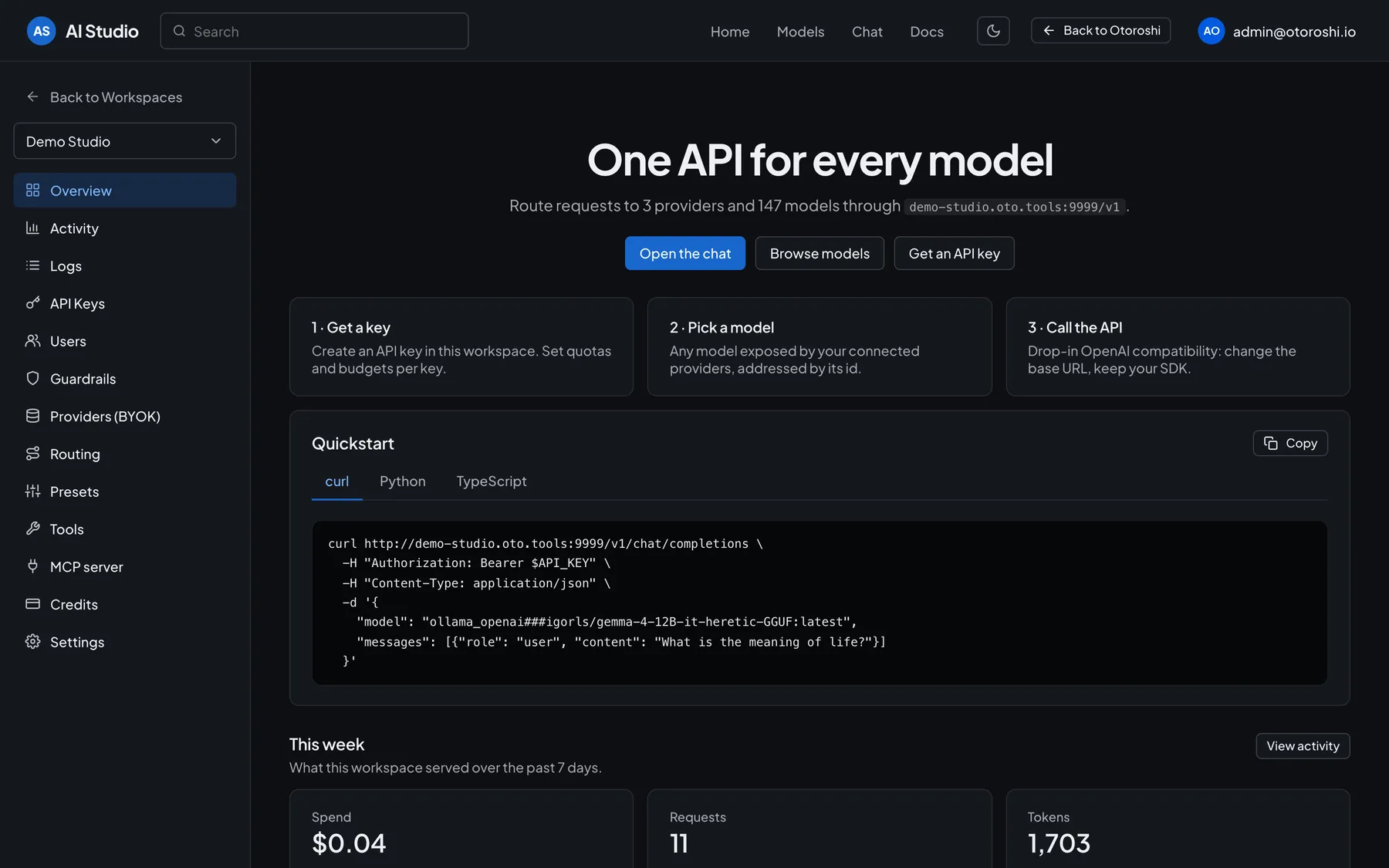
One base URL per workspace
Each AI Studio workspace has its own OpenAI-compatible base URL, API keys, providers and policies. Change the base URL, keep your SDK.
50+ providers, your own keys
OpenAI, Anthropic, Mistral, Gemini, Azure, Groq, DeepSeek, Scaleway, OVHcloud, Cohere, Hugging Face, Ollama… connected with your own provider keys.
Routing & fallbacks
Fallback chains when a provider fails, load balancing across providers, and smart routing that picks the right model for each prompt.
Guardrails
Allowed and blocked models, content policies on prompts and answers, enforced by the gateway for every key of a workspace.
Budgets & quotas
Spending caps per API key or for a whole workspace, each tracking its own window, and quotas per key.
Usage & spend, live
Spend, requests, tokens, cache hit rate and latency, per key, per user and per model, with trends and CSV export.
One API for 50+ providers — cloud, sovereign or local
- OpenAI
- Anthropic
- Mistral AI
- Gemini
- Ollama
- Azure AI
- Groq
- DeepSeek
- Scaleway
- OVHcloud
- Cohere
- Hugging Face
- Cloudflare AI
- ElevenLabs
- + many more, local models too
AI Studio in action
One studio.
Your whole AI stack.
Providers, models, chat, activity, logs and MCP: a tour of AI Studio, your self-service AI gateway on Otoroshi.
AI Studio · Get started
A key, a model, a call.
That's it.
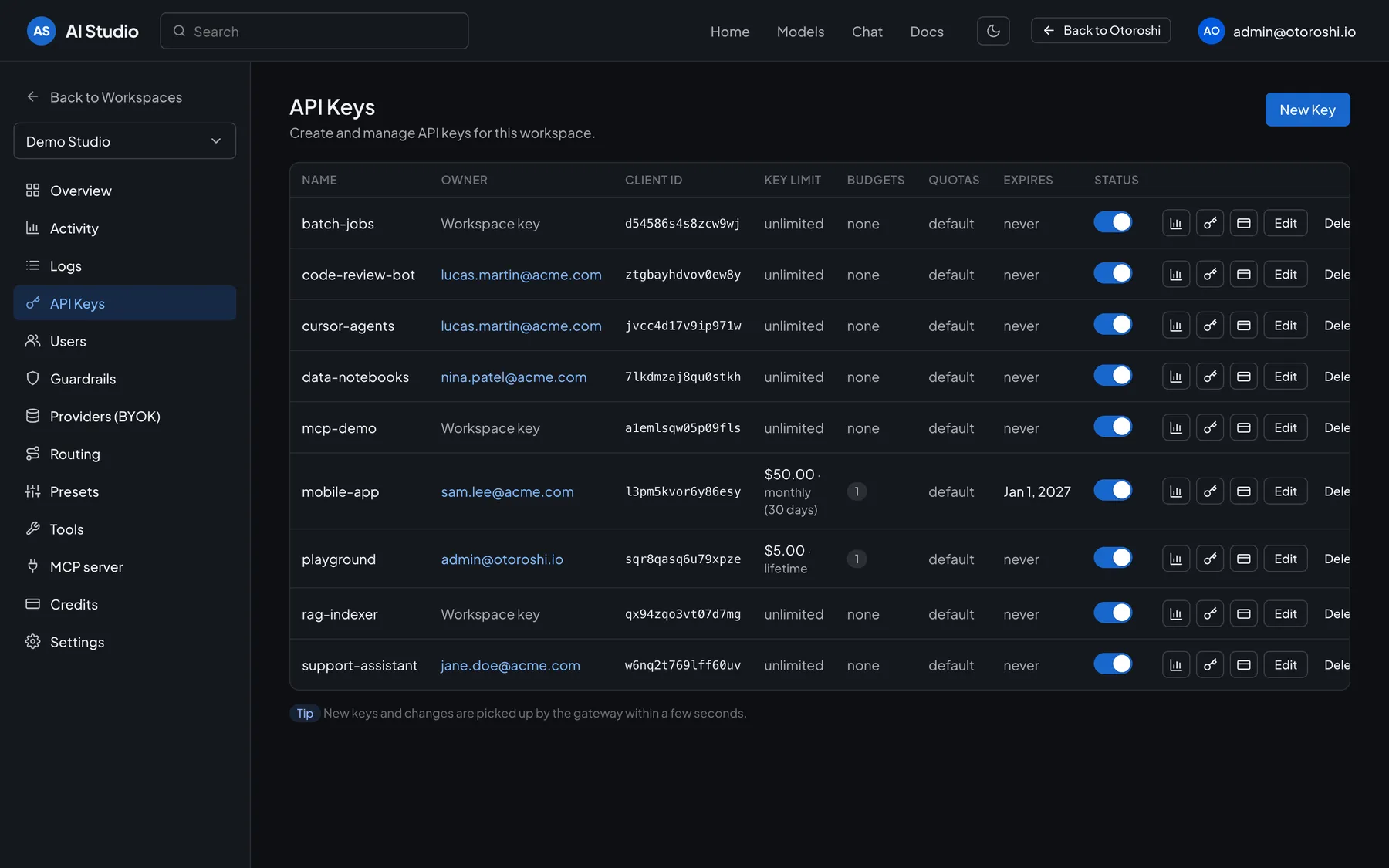
Create an API key in a workspace and set its quotas and budgets. Pick any model exposed by your connected providers, addressed by its id. Call the OpenAI-compatible API of the workspace: change the base URL, keep your SDK. Every key has an owner, a limit, budgets and an expiry.
- API keys with an owner
- Every model of your providers
- Drop-in OpenAI compatibility
- Limits, budgets, expiry
AI Studio · Activity
Track and optimize
every LLM dollar.
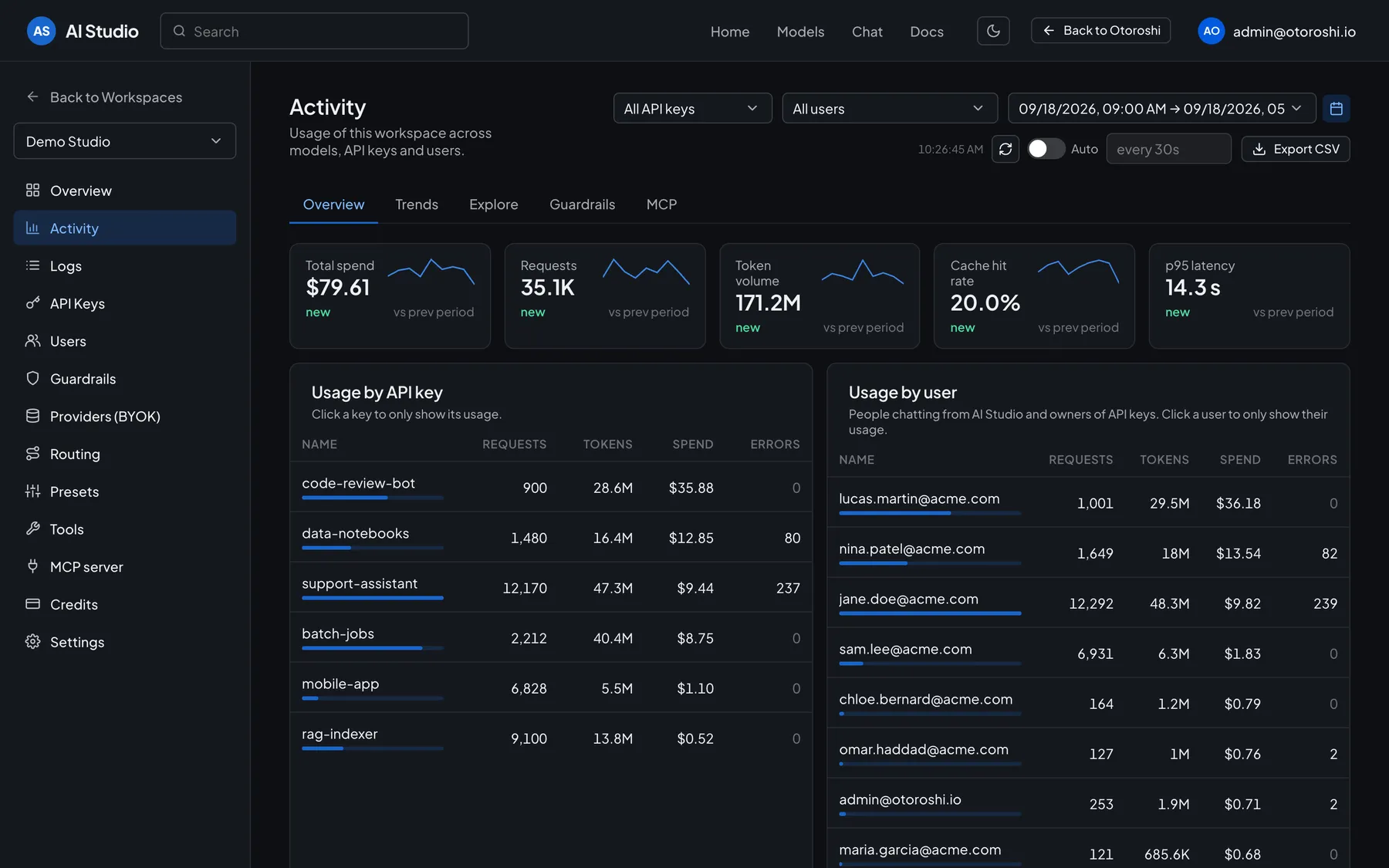
The Activity page of AI Studio shows what each workspace spends and why: spend, requests, token volume, cache hit rate and latency, then the usage of every API key, every user and every model, with trends over time and a CSV export. Cost tracking is enabled by default, and budgets enforced by the gateway stop the spend where you decide.
- Spend per key, user and model
- Budgets enforced by the gateway
- Cache hit rate & latency
- CSV export
AI Studio · Routing & guardrails
Decide which model answers.
And what it may say.
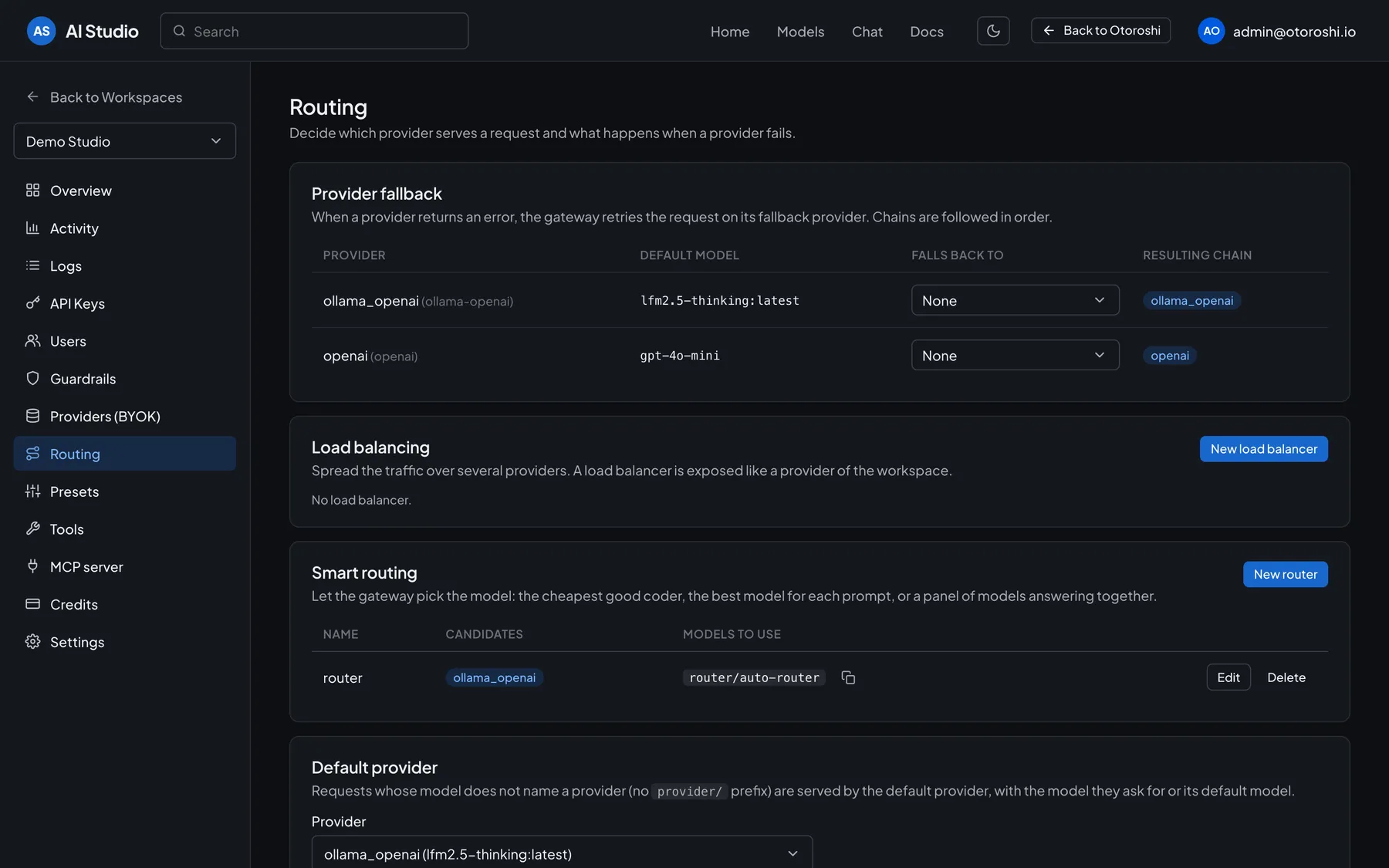
Decide which provider serves a request and what happens when it fails: fallback chains, load balancers exposed like a provider, smart routing that picks the cheapest good coder or the best model for each prompt. Then restrict the models of a workspace, apply content policies to prompts and answers, and cap the spend, for every key.
- Provider fallback chains
- Load balancing & smart routing
- Allowed and blocked models
- Content policies
Beyond chat completions
Everything you need to
run AI in production.
Chat & playground
Chat with any model of the workspace, compare answers side by side, and try your MCP servers in a playground.
Prompts & contexts
Prompt templates, contexts and presets, managed centrally instead of hard-coded in every app.
MCP & agents
MCP connectors, virtual MCP servers, tool calling, workflows and AI agents, all governed by the gateway.
Multi-modal
Audio (text-to-speech, speech-to-text), images, embeddings and vector stores behind the same gateway.
Semantic cache
Serve similar prompts from the cache: fewer model calls, faster answers, lower bills.
Cost & CO₂ per call
Know the price and the ecological impact of every request, by model, provider or consumer.
Run it your way
Managed, self-hosted
or enterprise.
On Otoroshi Managed
The LLM extension and AI Studio are included in every managed plan, alongside every Otoroshi feature.
DiscoverOn your Otoroshi
The LLM extension and AI Studio are open source (Apache 2.0). Install them on your own clusters.
DiscoverAI Studio Enterprise
AI Studio for your whole organization: company login, roles in every workspace, audit trail.
DiscoverFAQ
Frequently asked questions
Still have a question? Talk to our team.
What is AI Studio?
AI Studio is our AI gateway, with a console for everyone. Your teams get API keys, browse the models of the connected providers, chat with them, and follow their usage and spend; administrators set providers, routing, guardrails and budgets. It is built on the open-source Otoroshi LLM extension, and AI Studio Enterprise opens it to your whole organization.
What is an AI gateway?
An AI gateway is similar to an API gateway, but designed for AI traffic. It manages, routes and secures calls to LLMs and other AI services, so you can integrate AI in your applications reliably and at scale.
Which AI providers can I use?
50+ providers through one OpenAI-compatible API, including OpenAI, Azure OpenAI, Anthropic, Mistral, Gemini, Groq, DeepSeek, Scaleway, OVHcloud AI Endpoints, Cohere, Hugging Face, Cloudflare AI, and local models with Ollama.
Where can I use AI Studio?
AI Studio comes with the LLM extension, included in every Otoroshi Managed plan. Since the LLM extension is open source, you can also run it on your own Otoroshi, and AI Studio Enterprise opens it to your whole organization.
Can I route traffic to different LLMs?
Absolutely. Chain fallbacks when a provider fails, spread the traffic over several providers with a load balancer, or let smart routing pick the model, like the cheapest good coder or the best model for each prompt.
How does semantic caching reduce AI costs?
Semantic caching identifies similar prompts and serves stored answers instead of calling the model again. It dramatically reduces the number of expensive model invocations and improves response times.
Can I set budgets per API key or per team?
Yes. Budgets are spending caps enforced by the gateway, per API key or for a whole workspace, each tracking its own window. Quotas can be set per key as well.
Can I track LLM costs?
Yes. Cost tracking is enabled by default. The Activity page of AI Studio shows the spend per API key, per user and per model, with trends, and exports it as CSV.
Can I protect my prompts and data?
Yes. Guardrails detect and block PII, secrets leakage, prompt injection or toxic content on requests and responses, before anything reaches the model or your users.
Ready to build?Start in minutes.
Spin up a managed Otoroshi cluster or a serverless project for free, or ask us for a live demo of the whole platform.